By enhancing inventory accuracy, boosting operational effectiveness, and decreasing manual labor, warehouse automation is revolutionizing contemporary logistics. For barcode scanning, package identification, pallet positioning, robotic guidance, and automated inspection, a dependable USB camera module is essential to these intelligent systems.
When choosing a camera module for warehouse automation, image clarity, frame rate, lens configuration, interface bandwidth, and installation space must all be balanced, even though higher resolution frequently draws attention. A 2MP USB camera module offers a great compromise between imaging performance and system cost for many embedded vision applications.
This article outlines the characteristics that have the biggest influence on actual deployment and discusses the practical factors engineers take into account when choosing camera modules for warehouse automation.

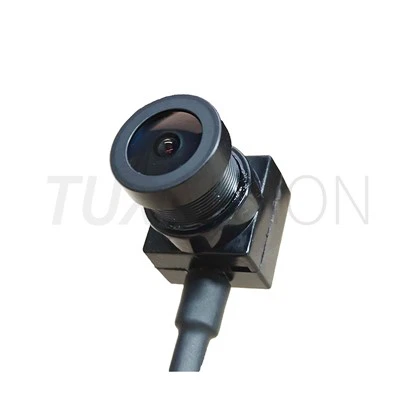
Figure 1. USB camera modules integrated into automated warehouse vision systems.
Why USB Camera Modules Are Widely Used in Warehouse Automation
Cameras for warehouse automation systems must be simple to integrate, dependable during continuous operation, and compatible with embedded AI platforms or industrial computers. USB offers a standardized connection, easier program development, and wide operating system support when compared to proprietary interfaces.
Common uses for warehouses include:
- Scanning barcodes and QR codes
- Measurement of package dimensions
- Monitoring conveyor belts
- Machine vision sorting
- AMR and AGV navigation
- Pallet identification and placement
- Verification of inventory
- Automated inspection of quality
Stable image quality is typically more valuable than seeking very high pixel counts because many of these applications run continually throughout the day.
Key Factors That Influence Camera Performance
1. Image Clarity Is More Than Resolution
Rather than relying solely on sensor resolution, image clarity depends on the entire optical system. Accurate recognition is influenced by a number of factors, including sensor sensitivity, lens quality, illumination, exposure management, and picture processing.
A well-designed 2MP camera module frequently outperforms a poorly optimized higher-resolution camera in terms of decoding performance for barcode identification at normal warehouse distances.
2. Frame Rate Depends on Conveyor Speed
Enough frame rates are needed for fast-moving packages to prevent motion blur. Cameras that can maintain steady frame rates without sacrificing image quality are typically advantageous for systems running on high-speed conveyor lines.
3. Lens Selection Should Match the Working Distance
Selecting the right lens is just as crucial. Before choosing focal length, engineers typically calculate the necessary field of view depending on package size, installation height, and inspection area.
- Larger conveyor areas are covered with wide-angle lenses.
- At farther ranges, longer focal lengths enhance detail.
- Lenses with low distortion aid in preserving measurement precision.
How Engineers Select a USB Camera Module
Instead of starting with sensor resolution, experienced engineers usually begin with the application requirements and work backward to determine the appropriate camera specifications.
Step 1 - Define the Inspection Target
- Barcode or QR code reading
- Package identification
- Object detection
- Dimension measurement
- Robot guidance
Step 2 - Measure the Working Distance
Knowing the installation height and object distance determines the appropriate focal length and field of view while avoiding unnecessary optical compromises.
Step 3 - Evaluate the Lighting Environment
Warehouses often experience mixed lighting conditions, including skylights, LEDs, and shadows from moving equipment. Cameras with good low-light performance and optimized image processing generally deliver more consistent results.
Step 4 - Determine the Required Frame Rate
Frame rate should match the movement speed of the target objects. For slowly moving inventory, 30 FPS is often sufficient. High-speed conveyor systems or robotic sorting applications may require higher frame rates to reduce motion blur and improve recognition reliability.
Step 5 - Choose the Appropriate USB Interface
USB 2.0 camera modules remain a practical choice for many 2MP imaging applications because they offer broad compatibility and sufficient bandwidth. For higher resolutions, higher frame rates, or applications involving multiple cameras, USB 3.0 provides additional bandwidth and lower transmission latency.
Step 6 - Consider Mechanical Integration
Mechanical constraints are often overlooked during early development. Engineers should evaluate PCB dimensions, connector orientation, cable routing, mounting holes, and enclosure space to simplify system integration and long-term maintenance.

Figure 2. Selecting a USB camera module based on application requirements rather than specifications alone.
Typical Camera Specifications for Warehouse Vision Systems
While specifications vary by application, many warehouse automation projects share similar design priorities:
- 2MP image sensor for efficient barcode recognition
- Stable image clarity under changing lighting conditions
- USB 2.0 or USB 3.0 interface
- Global or rolling shutter depending on object speed
- Fixed focus or autofocus according to working distance
- Wide operating temperature for industrial environments
- Compact PCB for embedded installation
- UVC compatibility for simplified software integration
Related USB Camera Modules
If you are comparing different embedded vision solutions, you may also be interested in our USB Camera Module product collection, which includes compact modules for industrial automation, barcode scanning, medical devices, smart kiosks, and machine vision applications.
For projects requiring customized optics, PCB dimensions, image tuning, or interface configuration, you can also explore our custom USB camera module solutions to better match your embedded system requirements.
Frequently Asked Questions
Is a 2MP camera sufficient for warehouse automation?
Yes. For barcode scanning, package recognition, AGV guidance, and inventory management, a well-designed 2MP camera module usually provides an excellent balance between image quality, bandwidth, and overall system cost.
Should I choose USB 2.0 or USB 3.0?
USB 2.0 is suitable for many Full HD applications. USB 3.0 becomes advantageous when higher resolutions, faster frame rates, or multiple synchronized cameras are required.
How important is lens selection?
Lens selection directly affects field of view, image sharpness, distortion, and working distance. In many projects, choosing the correct lens has a greater impact on overall system performance than increasing sensor resolution.
Can USB camera modules be customized?
Yes. Many industrial projects require customized lenses, PCB layouts, cable lengths, image parameters, mounting structures, or firmware settings to meet specific application requirements.

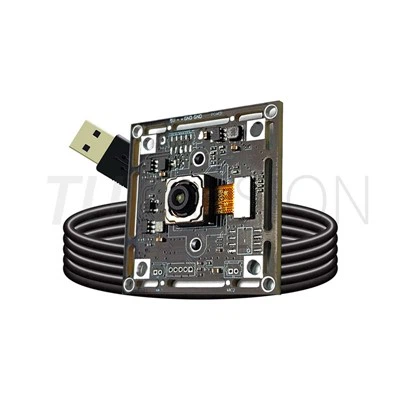
Figure 3. Compact USB camera modules designed for embedded vision and warehouse automation.
Conclusion
It takes more than just picking the greatest resolution when choosing a USB camera module for warehouse automation. To attain the best overall system performance, engineers usually consider image clarity, frame rate, lens properties, interface bandwidth, installation limitations, and long-term durability.
Developers can decrease integration time, increase identification accuracy, and lower future maintenance costs by first establishing application requirements and then matching the right imaging solution. One of the best methods to create a dependable warehouse vision system is to start with the correct camera module, regardless of the application-barcode scanning, robotic guiding, automated inspection, or inventory management.